Sound Wood

See the decay inside a tree from your sonic readings, right on your phone.

Sound Wood turns the transit times from your sonic decay detector into a cross-section decay map, a decay estimate and a field report you can send to your client before you leave the site.

  • Decay map with sound, decay and possible-decay zones
  • Decay shown as a range, so it is never understated
  • Write it up drafts your observations and recommendations
  • Tree photos, GPS and compass direction on the report
  • PDF field report with your logo, image and CSV in one tap
  • Trees sync between your phone and computer
See how it works

Sign in

How it works

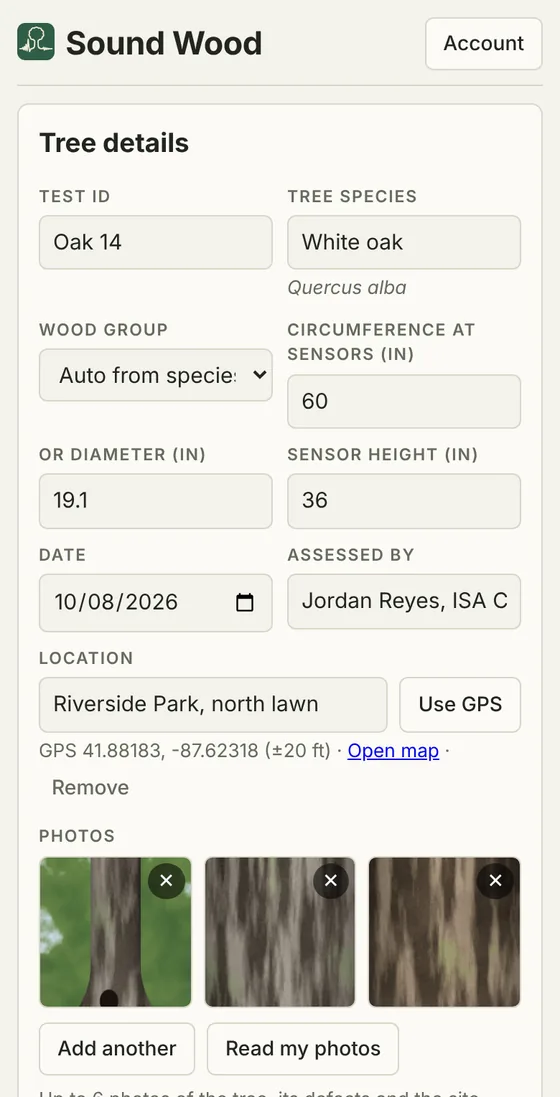
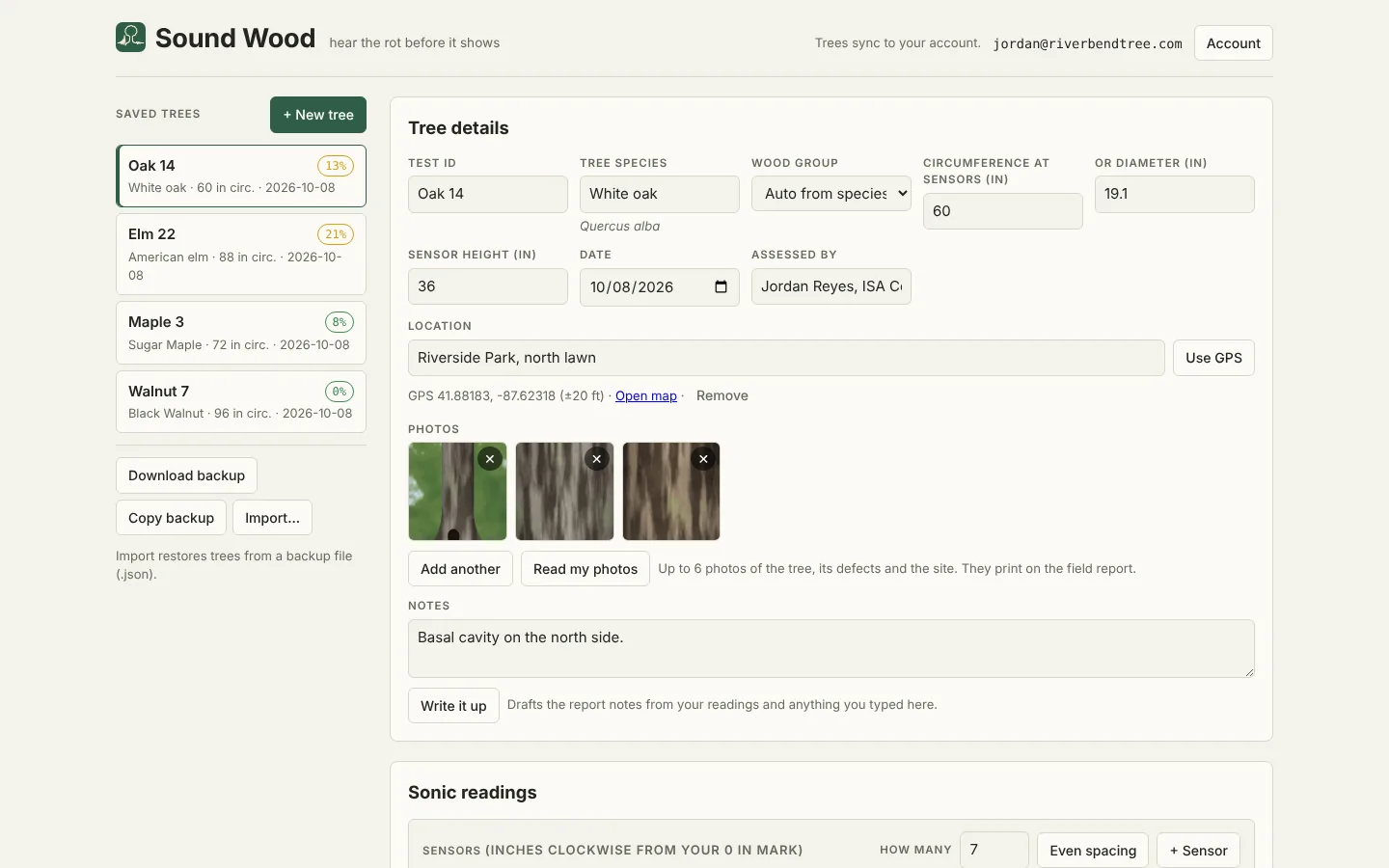
  1. Tree details screen with species, circumference, date and assessor

    1. Set up the tree

    Pick the species from over 1,200 trees and enter the circumference at your sensors. Hardwood and softwood cutoffs are set for you. Add photos and the tree’s GPS position if you like.

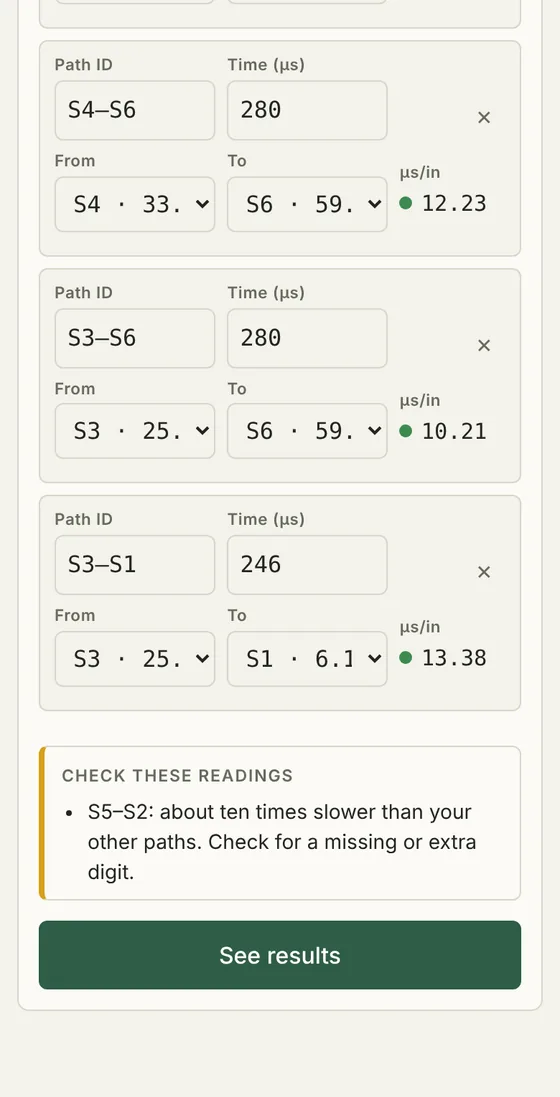
  2. Sonic readings with a warning about a reading that looks like a typo

    2. Type in your readings

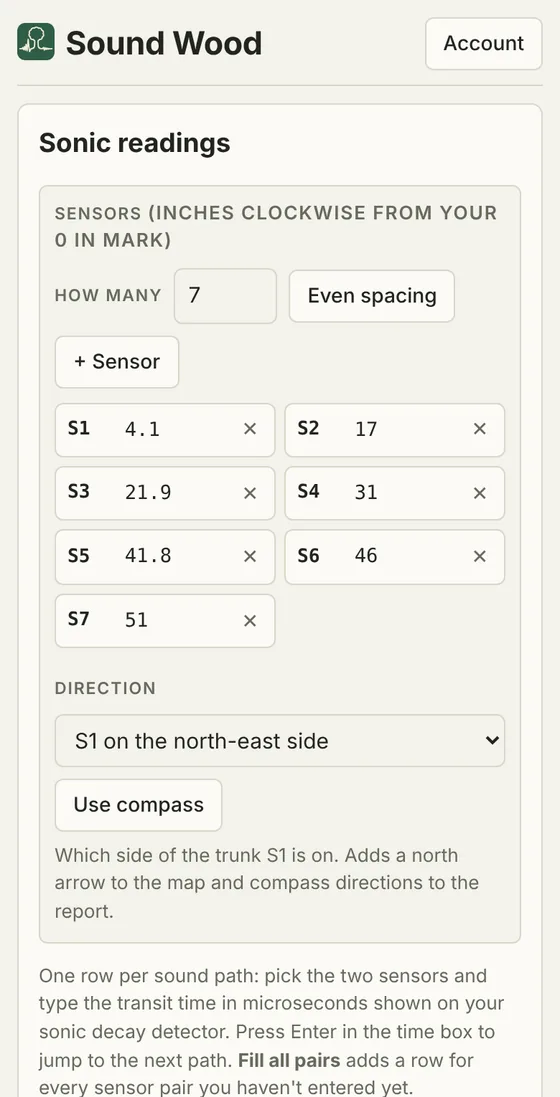
    Enter your sensor positions once and which side S1 faces, then the transit time for each path shown on your detector. Every path is checked against the cutoff as you type, and likely typos or a loose sensor are flagged.

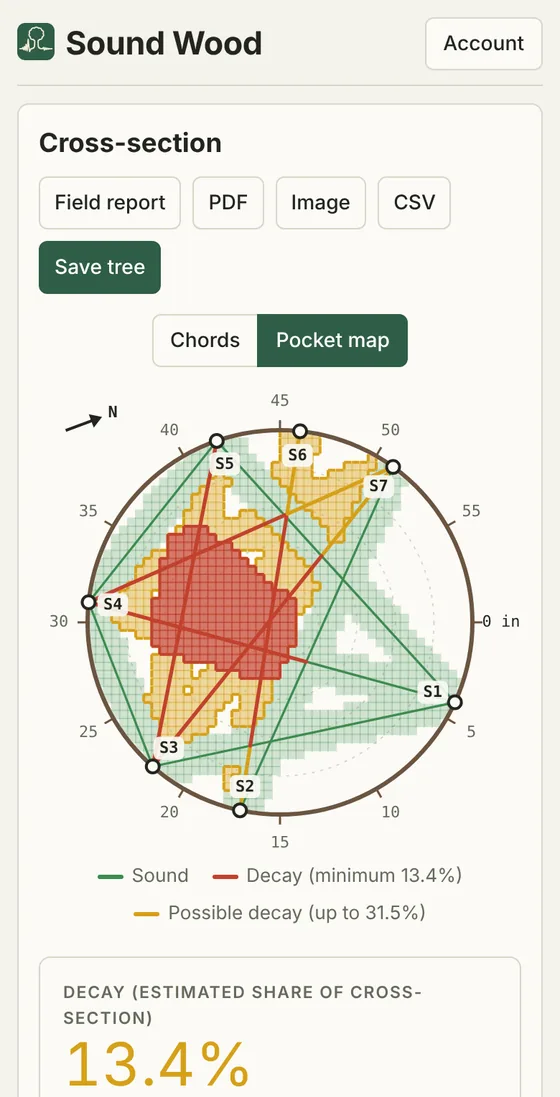
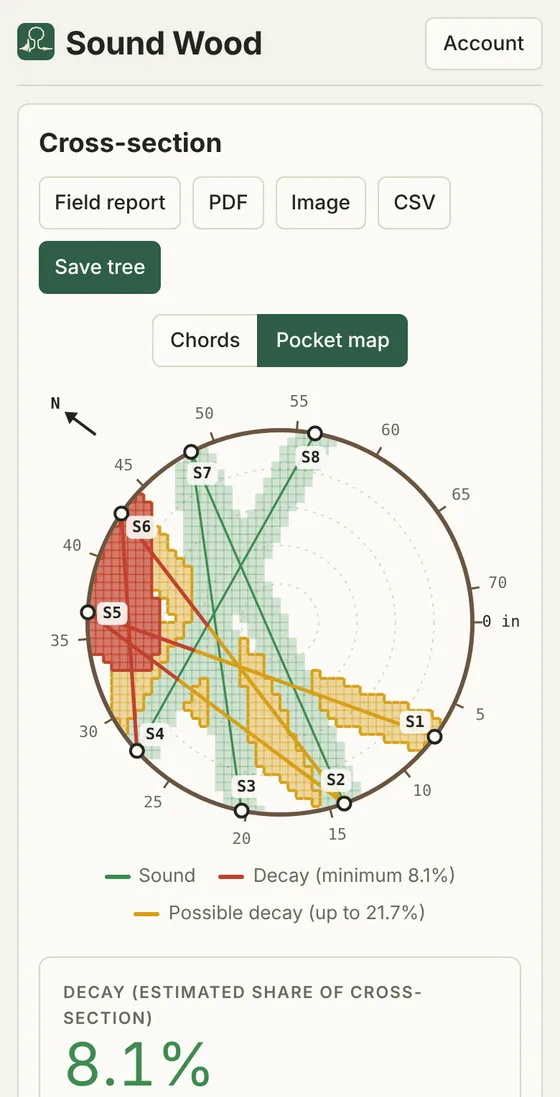
  3. Pocket map with path lines, north arrow, sound, decay and possible decay

    3. See the decay

    Sound Wood draws the cross-section with a north arrow, marks where slow paths cross and shows decay as a minimum and an “up to” figure.

Less writing in the field

Built-in AI helps with the words and the photos. It never changes your readings, the decay figures or the verdict, and you check everything before it goes on a report.

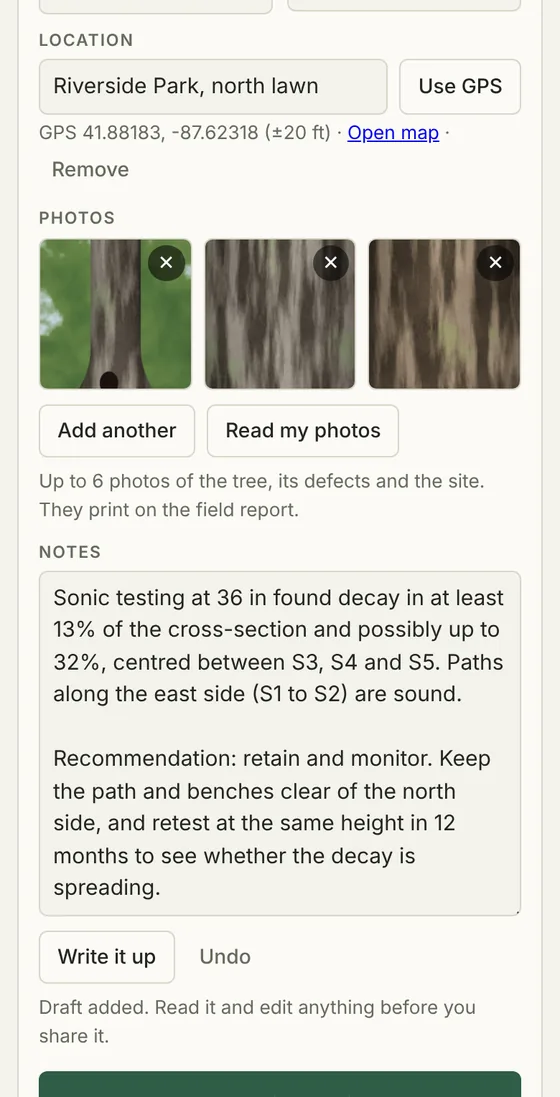
  1. Notes box with a drafted observation and recommendation, and an Undo button

    Write it up

    One tap drafts the observations and recommendations from your readings, results and notes. It quotes the minimum and “up to” decay figures as they are. Edit it, or undo it.

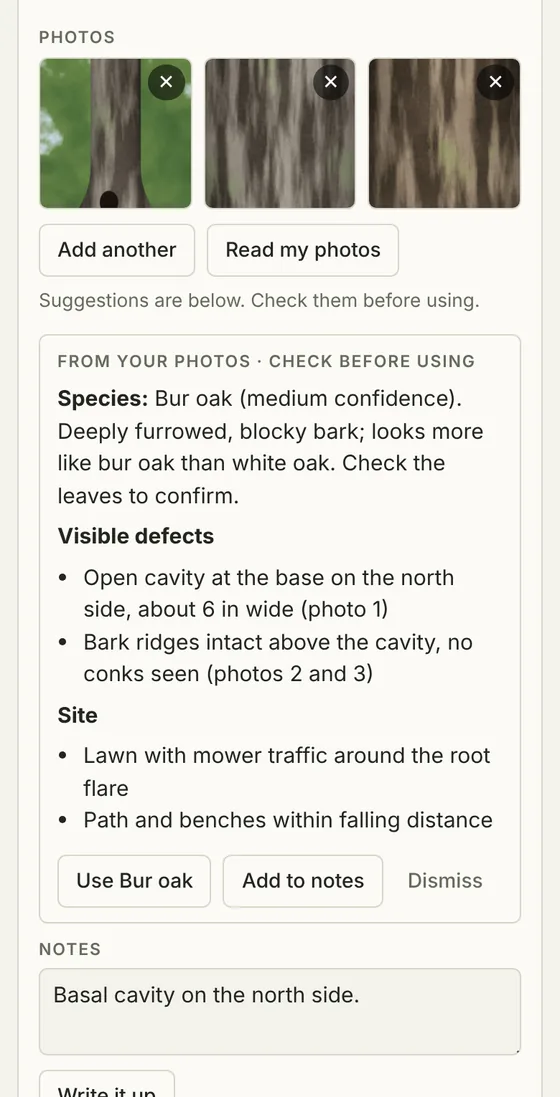
  2. Three tree photos with suggestions for species, visible defects and site conditions

    Read my photos

    Add up to 6 photos of the trunk, defects and site. Sound Wood suggests the species and lists visible defects and site conditions you can add to your notes with one tap.

  3. Sensor positions with the direction S1 faces and a Use compass button

    Direction and location

    Set which side S1 faces from a list or your phone’s compass. The map gets a north arrow and the report says where the decay sits, such as “on the north-east side”. Save the GPS position with one tap.

A report your client can read

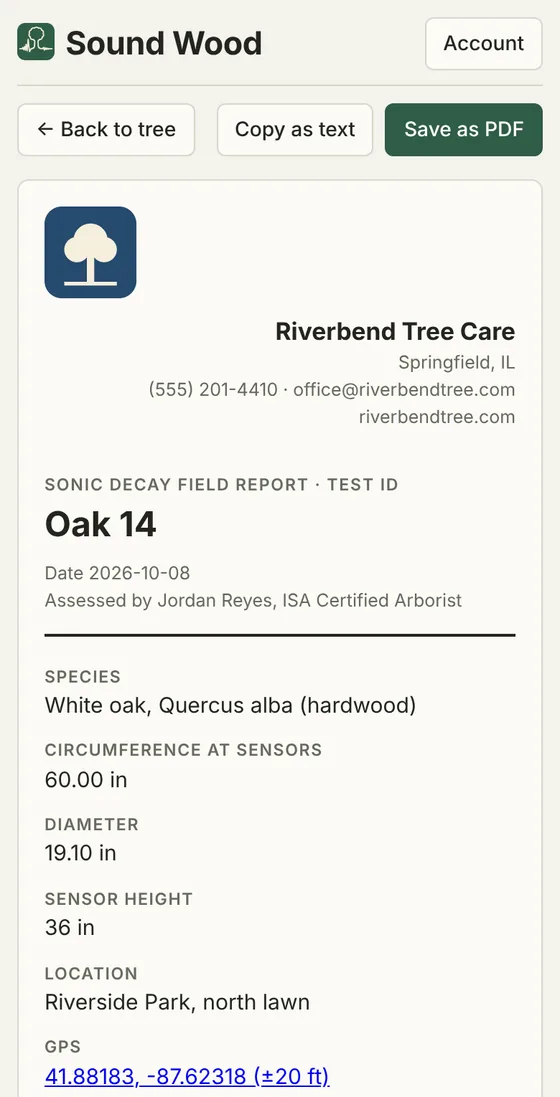
Every tree gets a clean field report with the species, measurements, decay map, decay range, your notes, photos and every reading. Save it as a PDF, share the map as an image, or export the readings as CSV.

Subscribers can put their logo, company name, phone, email and website at the top of every report and PDF.

Switch between the path view and the pocket map, which draws the paths over the decay cells, to show exactly where the decay sits, including pockets that reach the bark.

Field report with a tree care company's logo and contact details at the top Pocket map showing a decay pocket at the bark
Sound Wood on a computer, with saved trees, tree details and sonic readings

Works in any browser on your phone, tablet or computer. Add it to your home screen and it opens like an app.

Pricing

Free

$0

Up to 3 saved trees at a time, with every map, report and export, plus 3 AI report drafts or photo readings to try.

Unlimited

$15 a month

or $150 a year (2 months free). Unlimited saved trees, AI report drafts and photo reading, and your logo on every report. Cancel anytime.

Questions

Does it connect to my decay detector?

No pairing needed. You type in the transit time (in microseconds) your detector shows for each path. Most trees take a couple of minutes.

How does it decide what is decay?

Each path is compared with a cutoff for the wood type (22 µs per inch for hardwoods, 30 for softwoods). Where slow paths cross with no sound path between them, that area is marked as decay. Slow paths that aren’t confirmed by a crossing are shown as possible decay, and the result is given as a range.

Does it replace my own assessment?

No. Sound Wood is a tool to support a qualified arborist’s assessment. The results are estimates based on the readings you enter.

What does the AI do, and can it change my results?

Write it up drafts the observations and recommendations from your readings, results and notes. Read my photos suggests the species and lists visible defects and site conditions. Neither one changes your readings, the decay figures or the verdict, and nothing is added to a report until you choose to. Both are included in Unlimited, and a free account gets 3 tries.

Are my photos private?

Yes. Photos are stored privately on your account and only you can see them, unless you print or share a report that includes them. They are only sent for reading when you tap Read my photos, and they are not used to train AI models. See the privacy policy.

Can I put my company logo on reports?

Yes. With Unlimited, add your logo, phone, email, website and address under Account > Business branding. They appear at the top of every field report and PDF.

Where are my trees stored?

In your account, synced across your devices. Only you can see your trees. See the privacy policy.

Can I cancel anytime?

Yes, from Account in the app. You keep Unlimited until the end of the period you paid for. See the refund policy.

Sound Wood hear the rot before it shows

Records are saved in this browser.

Tree details

Scientific name
Photos
Up to 6 photos of the tree, its defects and the site. They print on the field report.

Sonic readings

Sensors (inches clockwise from your 0 in mark)
Which side of the trunk S1 is on. Adds a north arrow to the map and compass directions to the report.

One row per sound path: pick the two sensors and type the transit time in microseconds shown on your sonic decay detector. Press Enter in the time box to jump to the next path. Fill all pairs adds a row for every sensor pair you haven't entered yet.

Paths
Path IDFromToTime (µs)AnglesChord (in)µs/in

Cross-section

Sound Decay Possible decay
Decay (estimated share of cross-section) – Enter the circumference and at least one reading.
Possible decay
–
Slow paths
–
Threshold
–
Average µs/in
–
Slowest path
–
Diameter
–

Save unlimited trees

Free accounts can keep 3 saved trees. Subscribe to save as many as you like, synced to your account on every device.

Secure checkout by Stripe. Cancel anytime.

Find S1's direction

Stand at S1 facing the trunk. Hold your phone flat with its top pointing at the trunk.

Reading the compass…

Keep away from cars and metal fences, which upset the compass.

Sound Wood

What's new

Account

Signed in as

Plan

Your details on reports

Business branding

New trees fill in "Assessed by" with these, and every field report shows them.

Add to your home screen

Appearance

Auto follows your phone or computer setting.

Help

Saved trees

Change password

Change email

Delete account

Deletes your account and every tree saved to it, and cancels any subscription straight away. Download a backup first if you want to keep your trees. This can't be undone.